 01
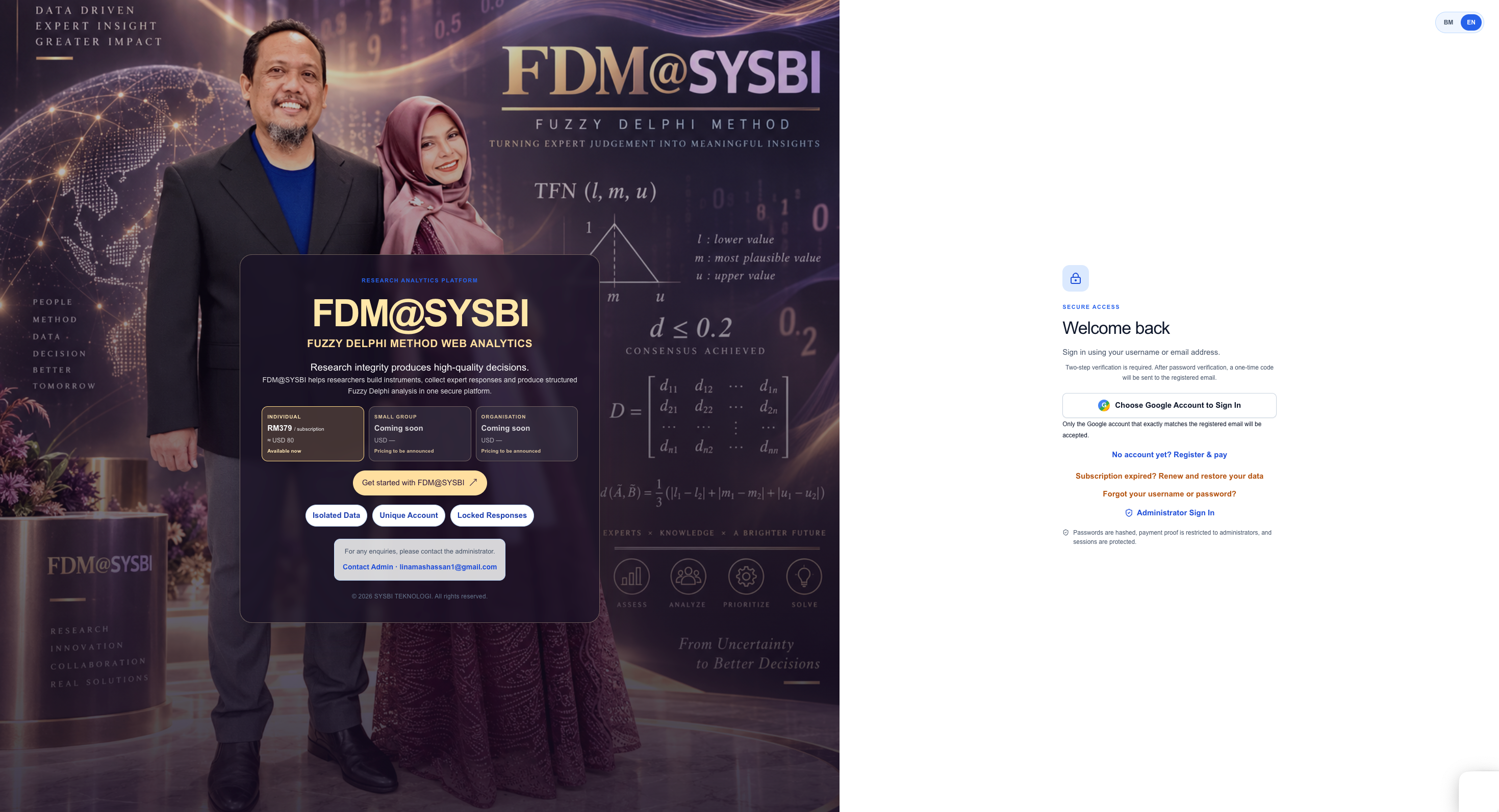
01Secure access and subscription entry
The landing screen gives researchers a protected route into FDM@SYSBI, with language choice, sign-in, registration and subscription access in one place.
Complete every research stage safely and confidently, from Procedure A to Procedure G. FDM@SYSBI guides your workflow, protects response data and reduces human error while turning expert judgement into defensible Fuzzy Delphi evidence.
 01
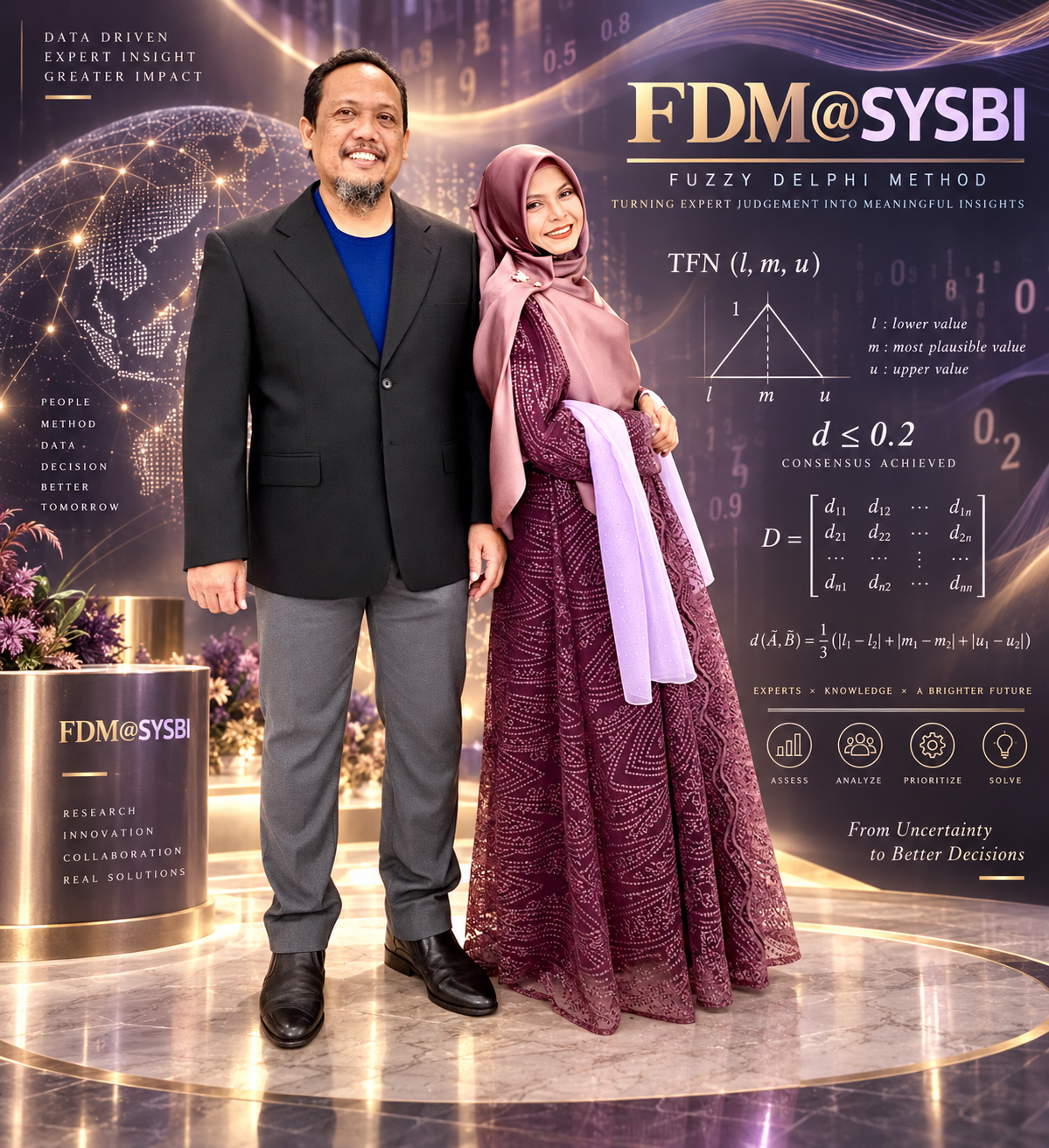
01The landing screen gives researchers a protected route into FDM@SYSBI, with language choice, sign-in, registration and subscription access in one place.
 02
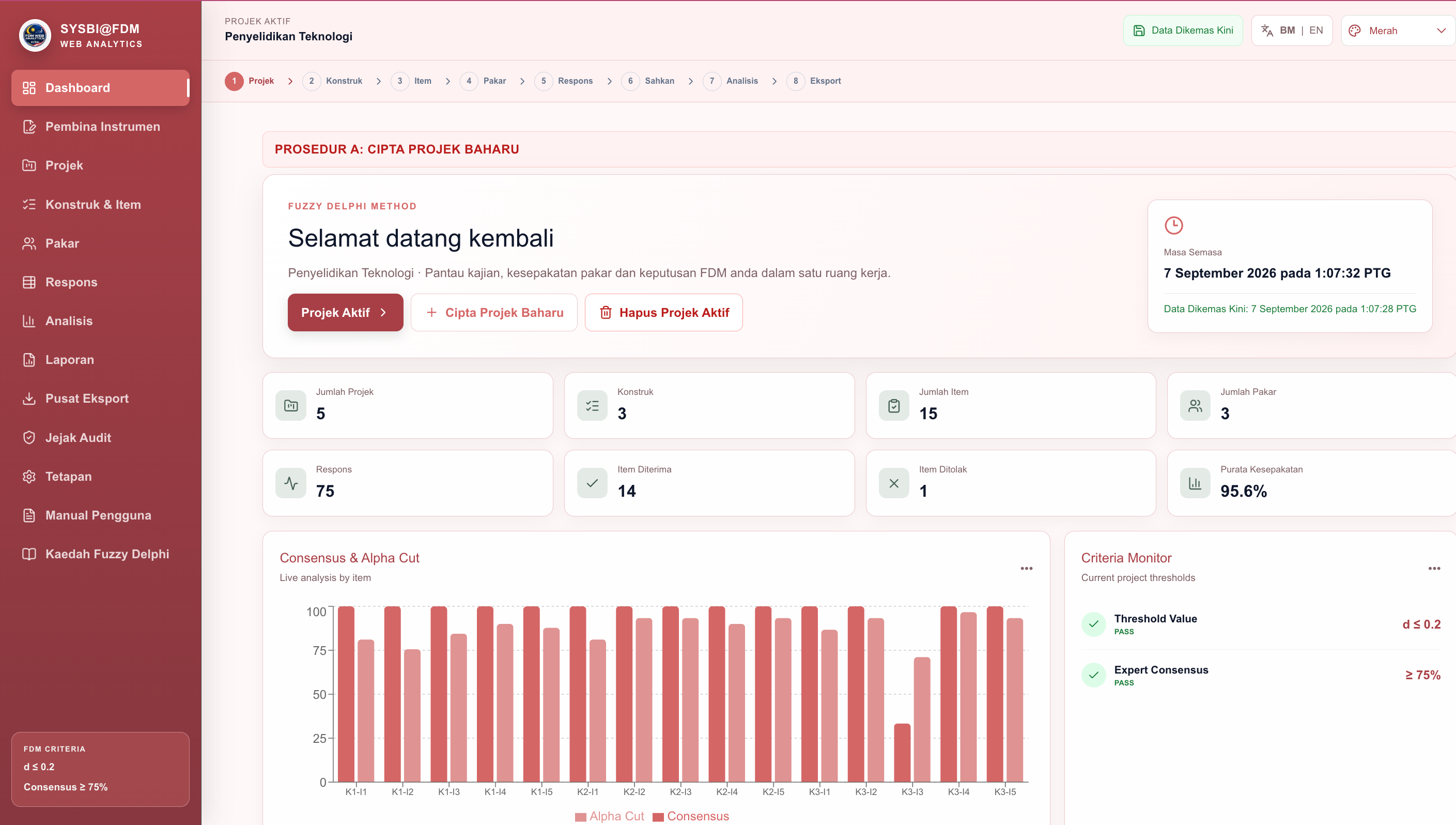
02The dashboard shows active project history, project counts, constructs, items, experts, response volume, accepted or rejected items, live consensus and the Consensus & Alpha Cut chart.
 03
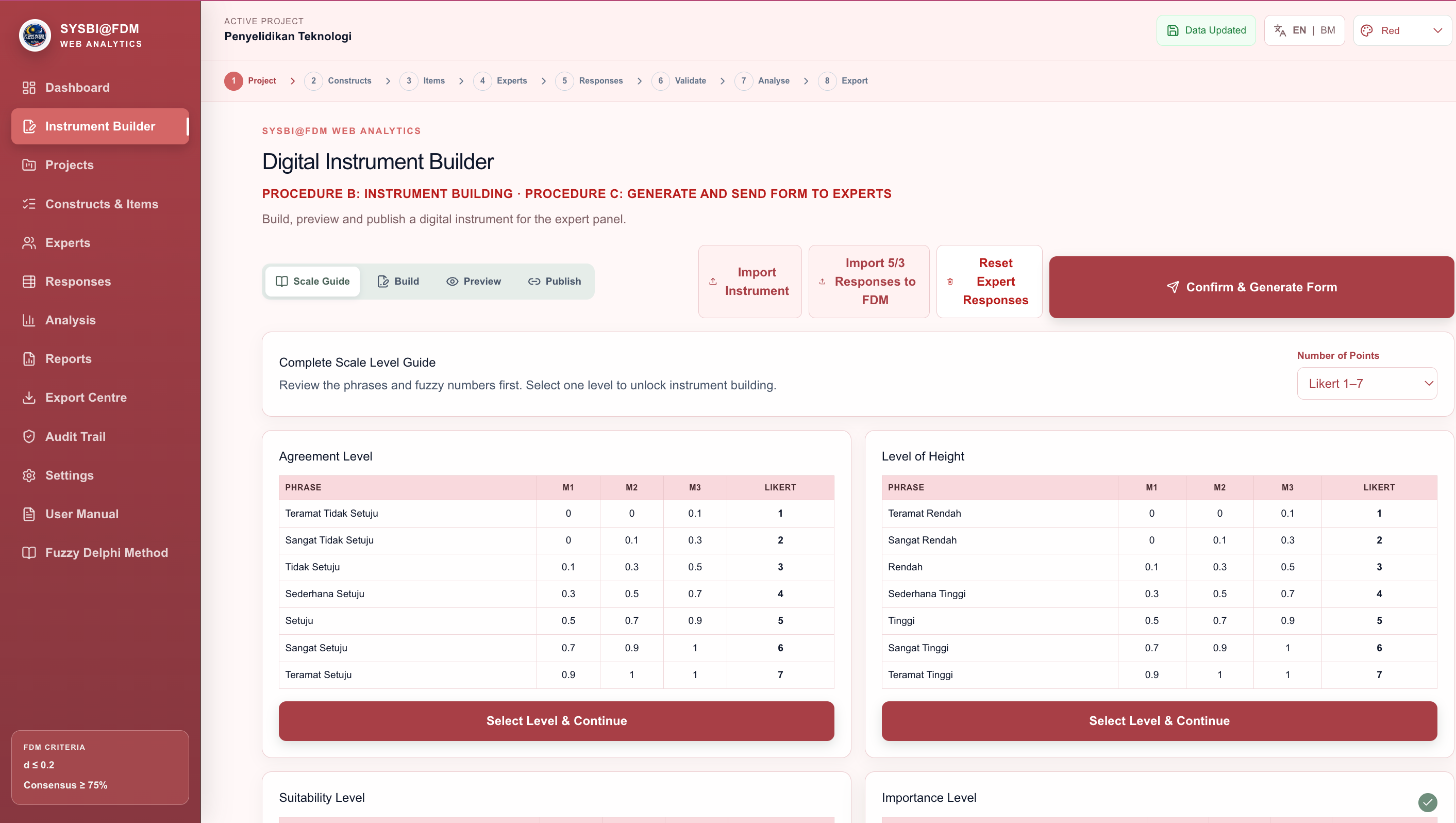
03Start Procedure B by selecting the response scale and reviewing the fuzzy numbers behind each Likert phrase. The guide covers agreement, height, suitability and importance levels before the instrument is built.
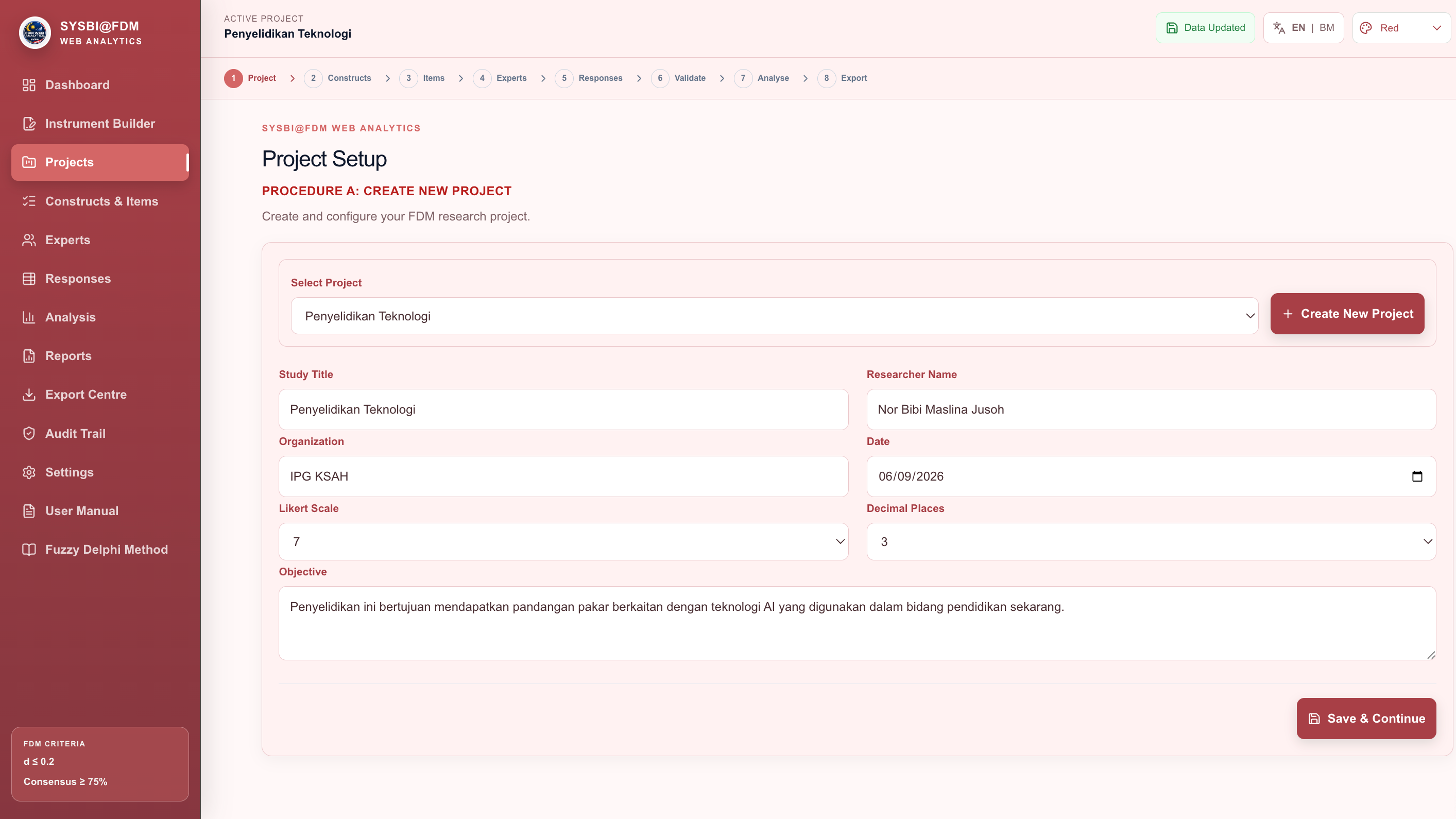 04
04Create or select a project, record the study title, researcher, organisation, date, Likert scale, decimal places and research objective, then save and continue with a complete project record.
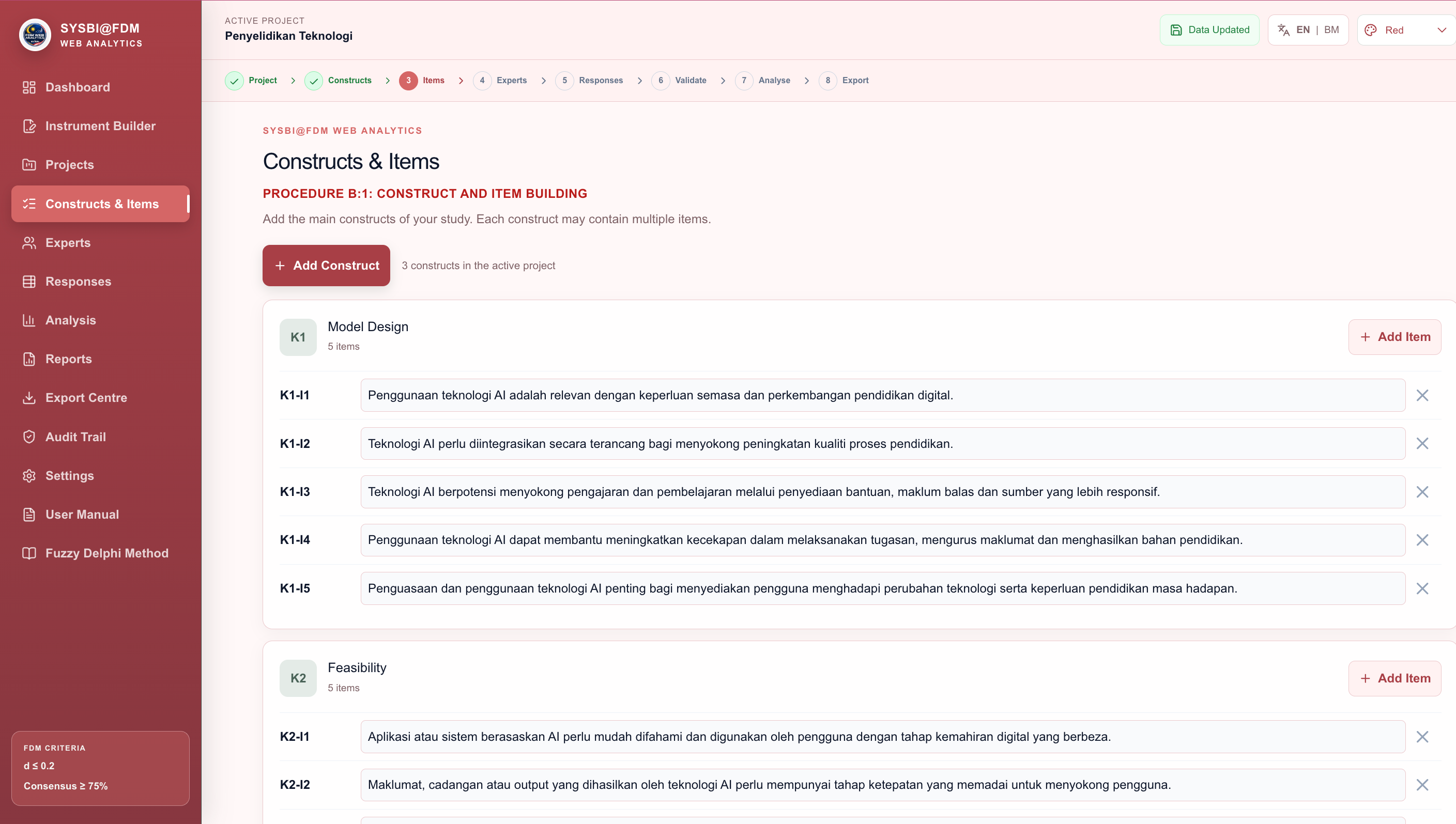 05
05Build the instrument structure by naming constructs such as K1 and adding item codes such as K1-I1. Clear codes keep expert scoring, analysis and reports aligned from beginning to end.
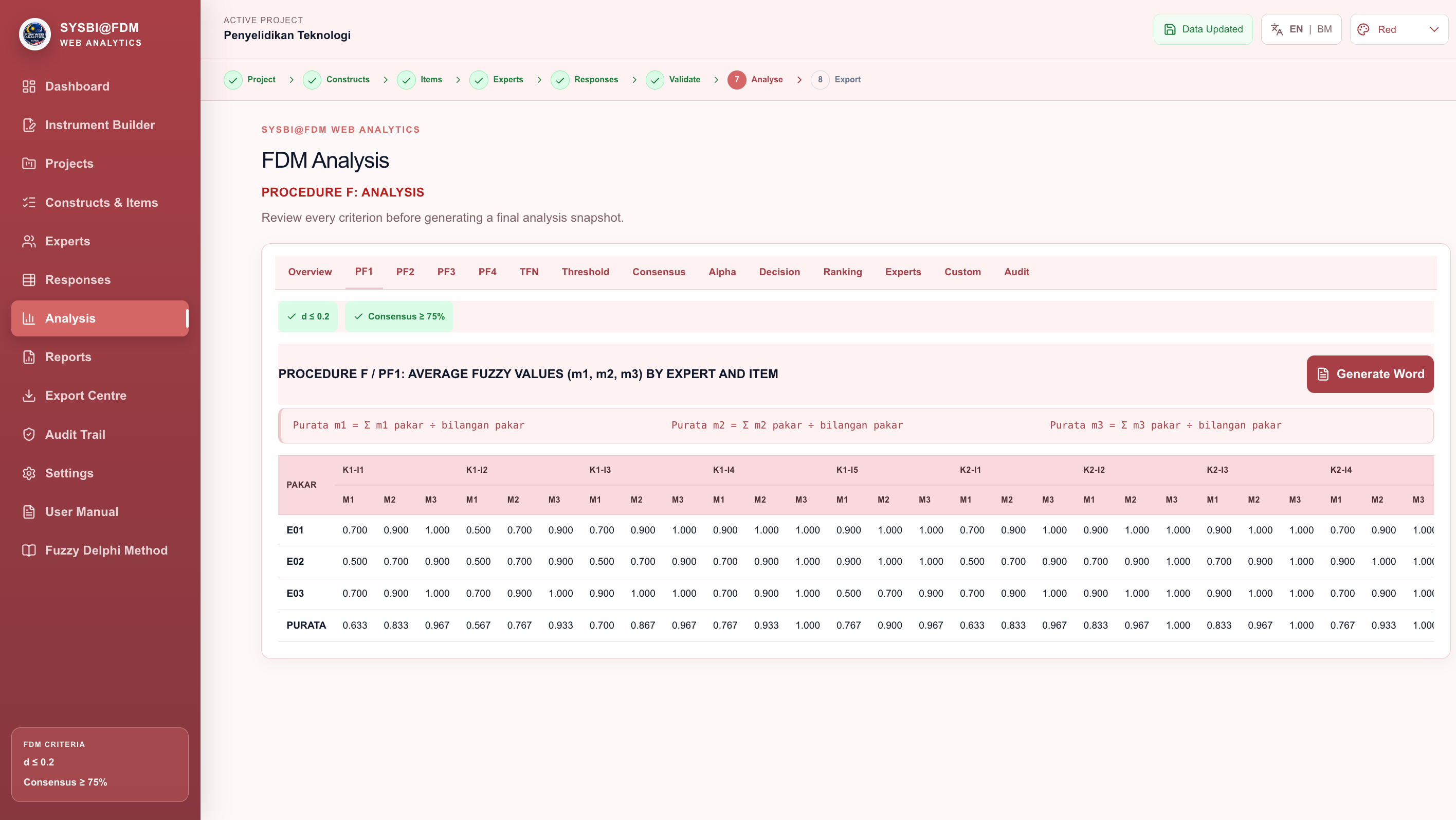 06
06Review Overview, PF1, PF2, PF3 and PF4 together with the project criteria. The analysis workspace exposes formulas, expert-level values, consensus checks and Word export so every result can be reviewed.
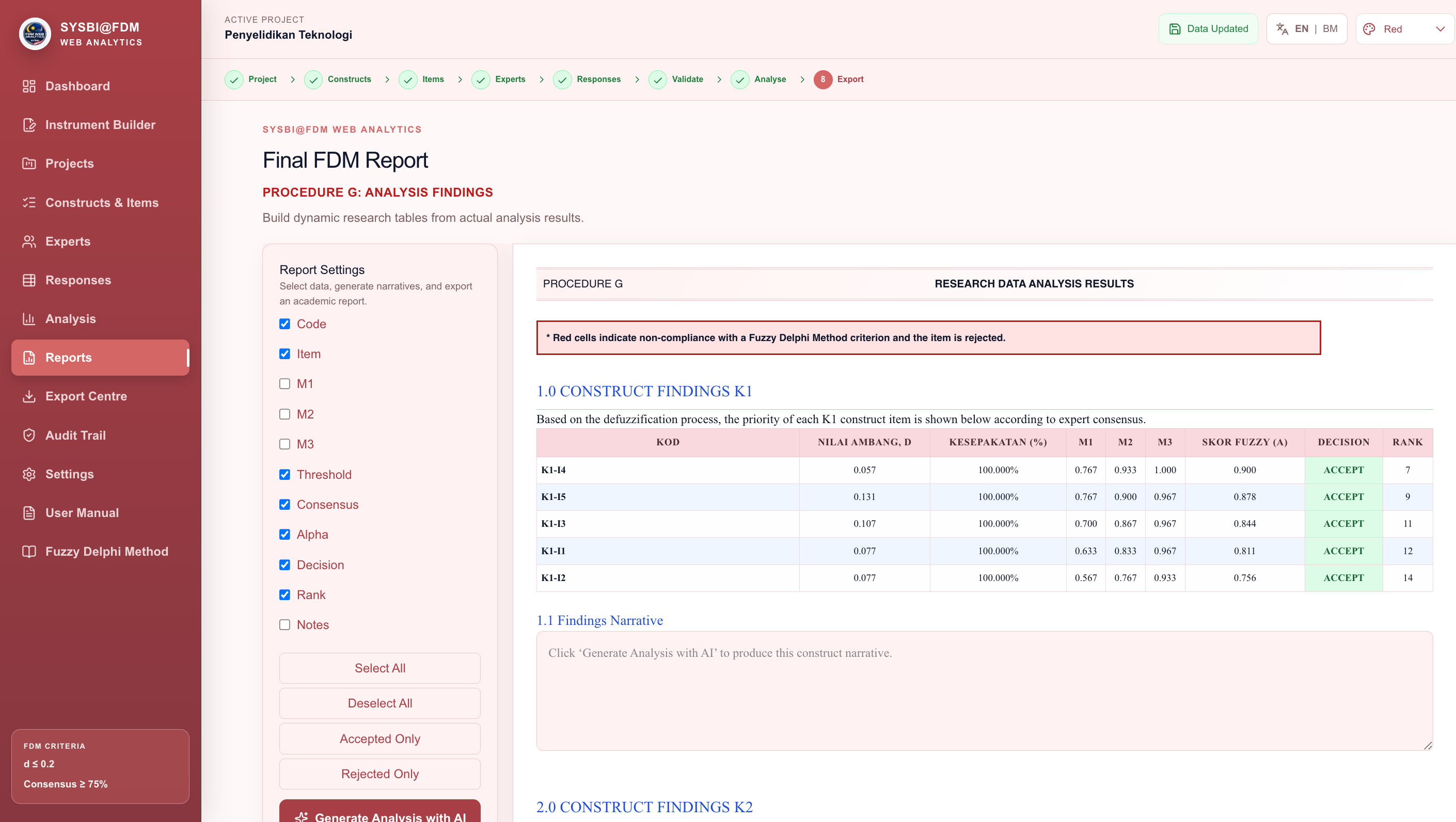 07
07Assemble the final findings report by selecting the required columns, filtering accepted or rejected items, adding construct narratives and exporting an evidence-based report for academic use.
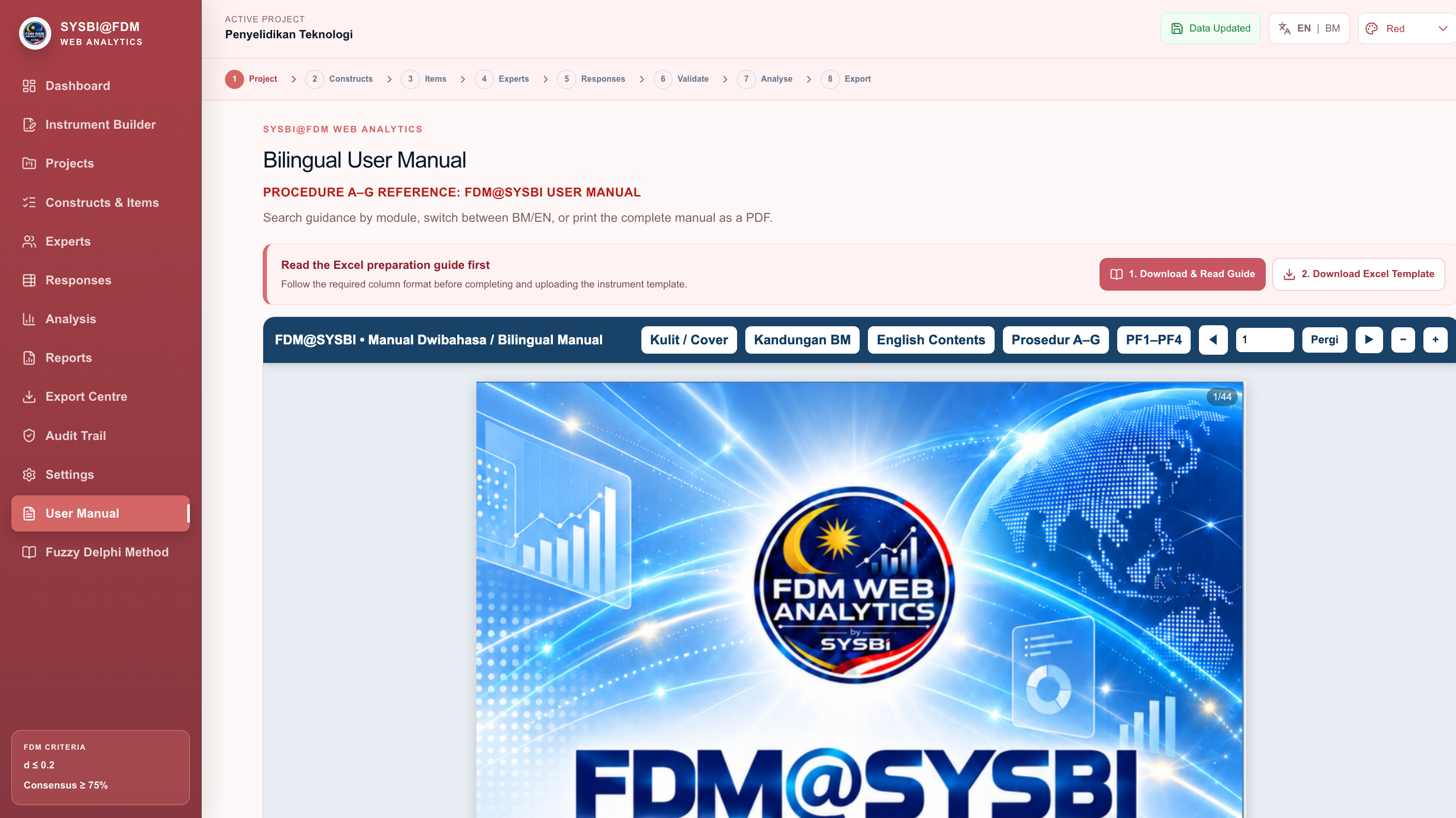 08
08Open the bilingual manual, jump to the relevant pages, download the Excel preparation guide and template, and print the complete reference when a step-by-step explanation is needed.
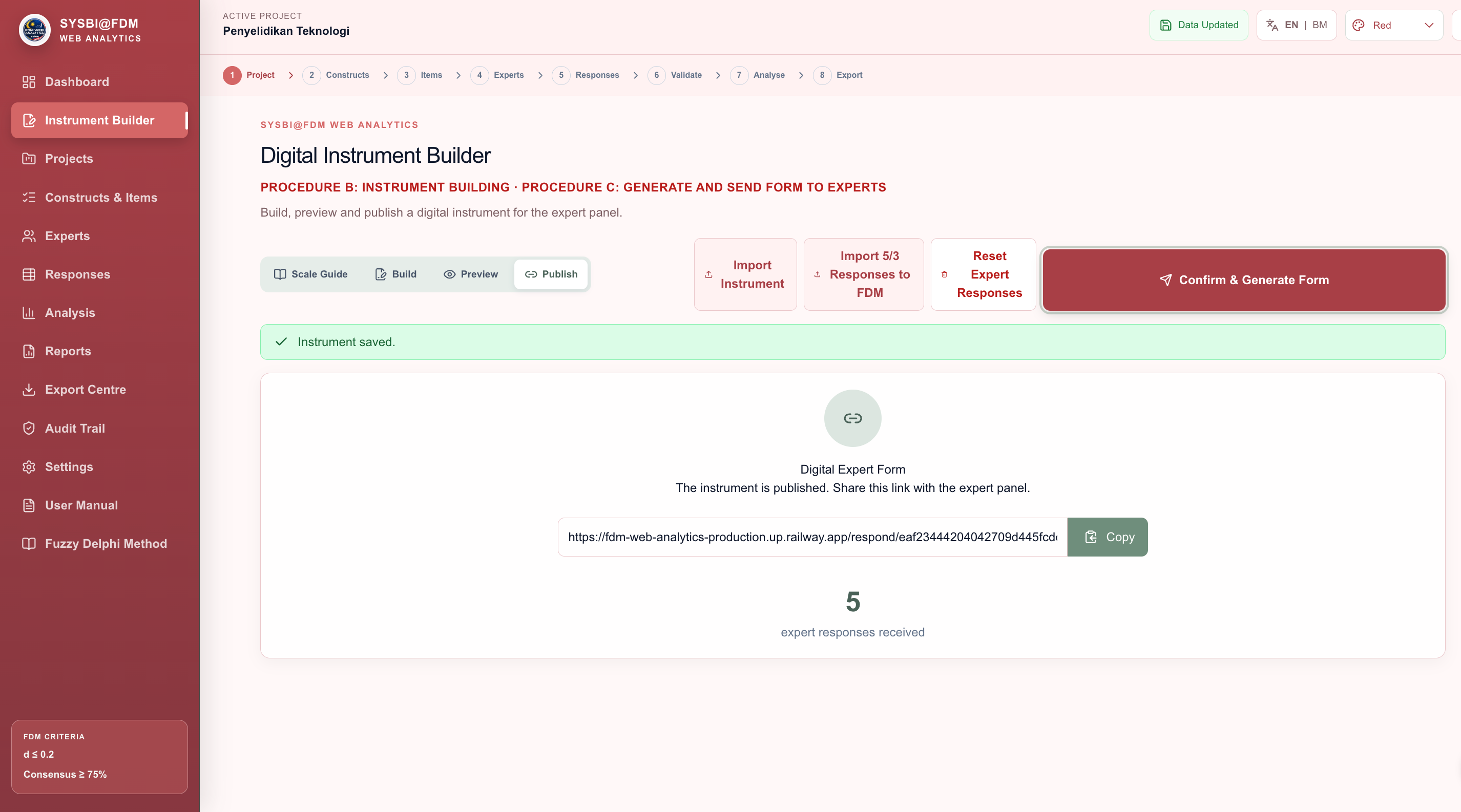 09
09After publishing, FDM@SYSBI creates a dedicated Digital Expert Form link. Copy it and send it to the intended expert panel while tracking the number of responses received.
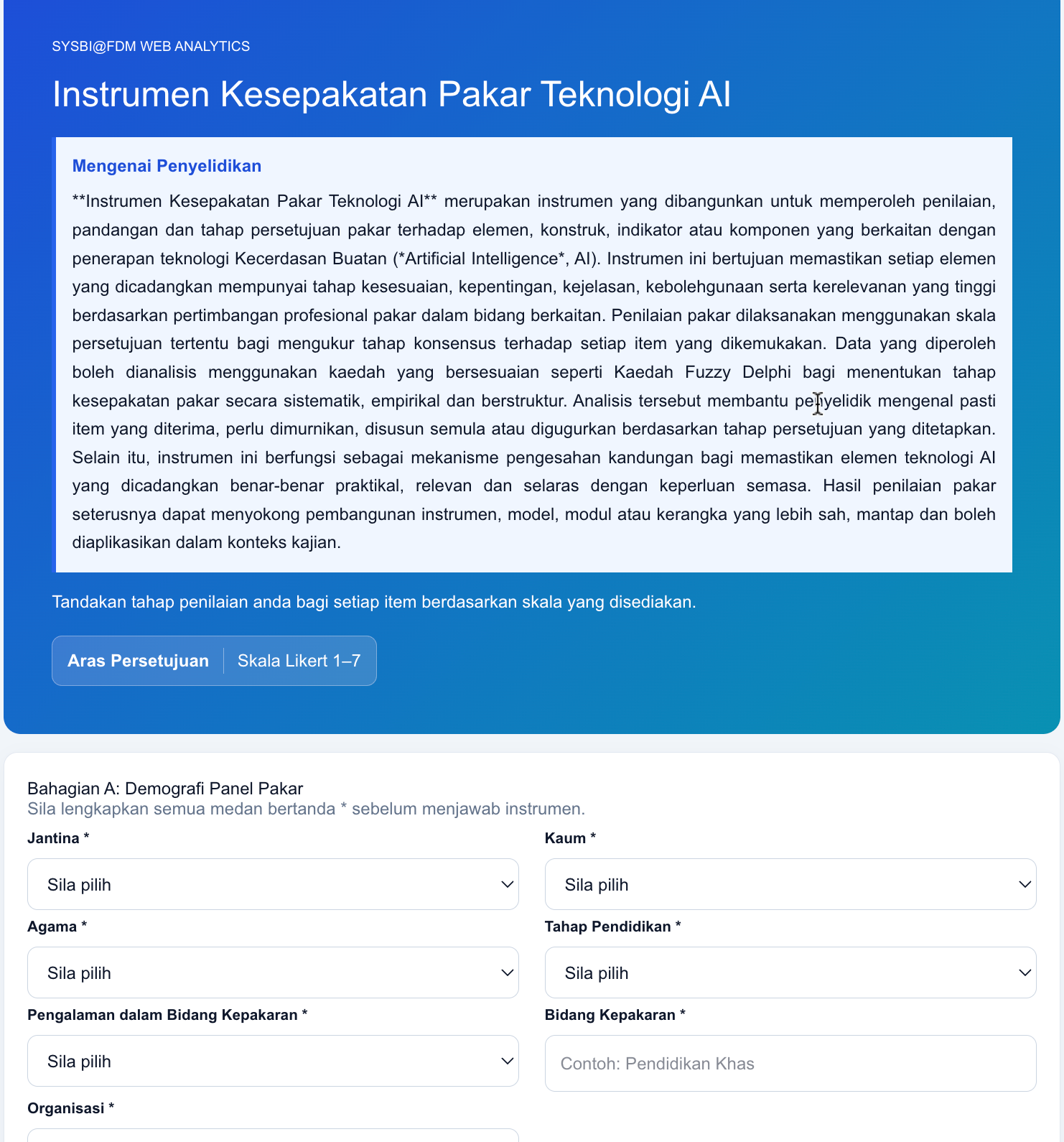 10
10The respondent form begins with the required demographic profile—gender, race, religion, education, experience, expertise and organisation—before the expert rates the research items.
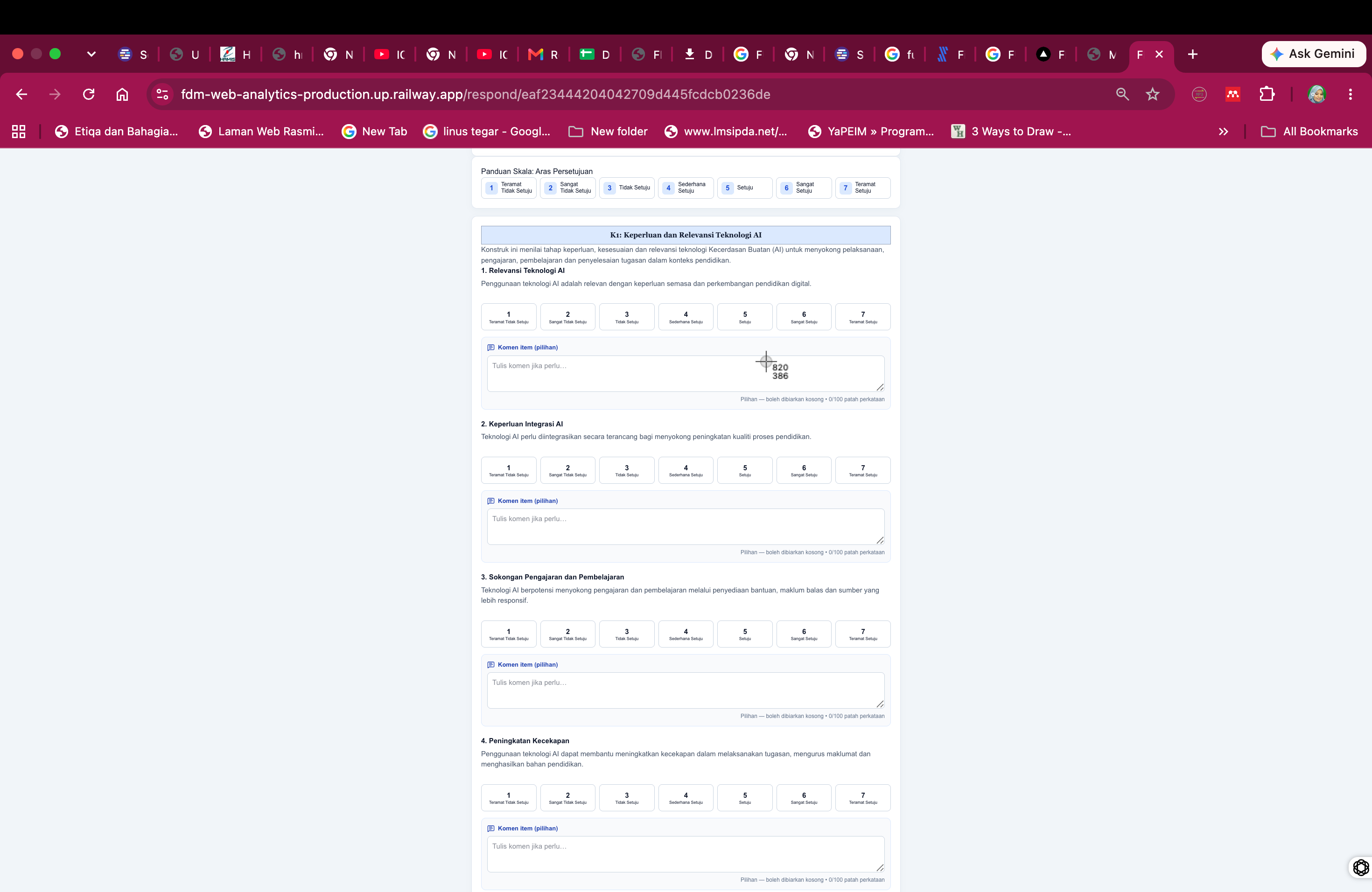 11
11Experts select one of seven agreement levels for each item and may add an optional item comment. The layout keeps the item statement, Likert scale and comment field together for a focused response.
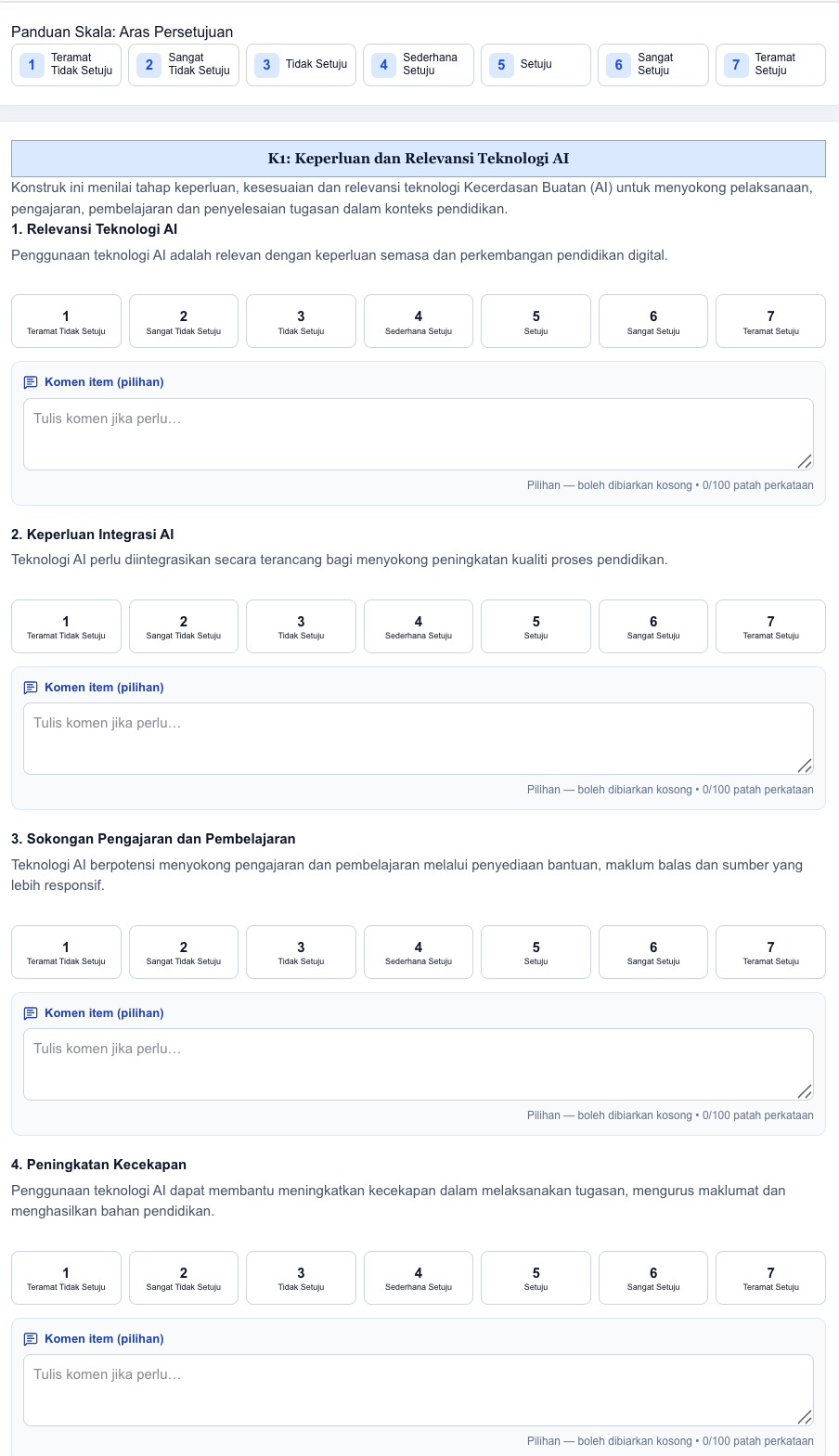 12
12The guided response layout continues across constructs and items, keeping every rating and optional comment tied to the correct code so no response is lost or assigned to the wrong item.
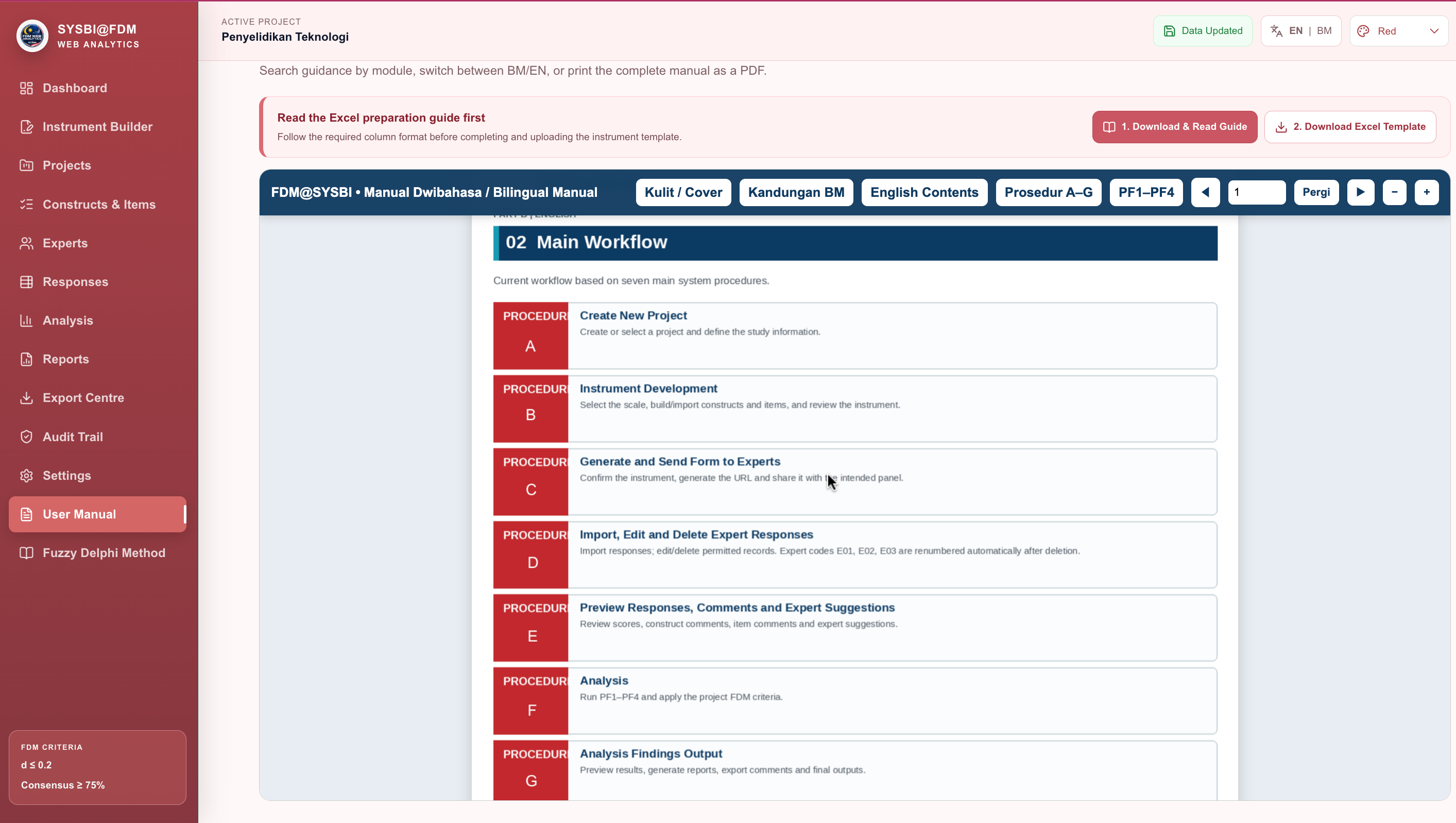 13
13The manual explains the complete seven-procedure journey: create a project, build the instrument, generate and send the form, import or edit responses, preview comments, analyse the data and produce findings.
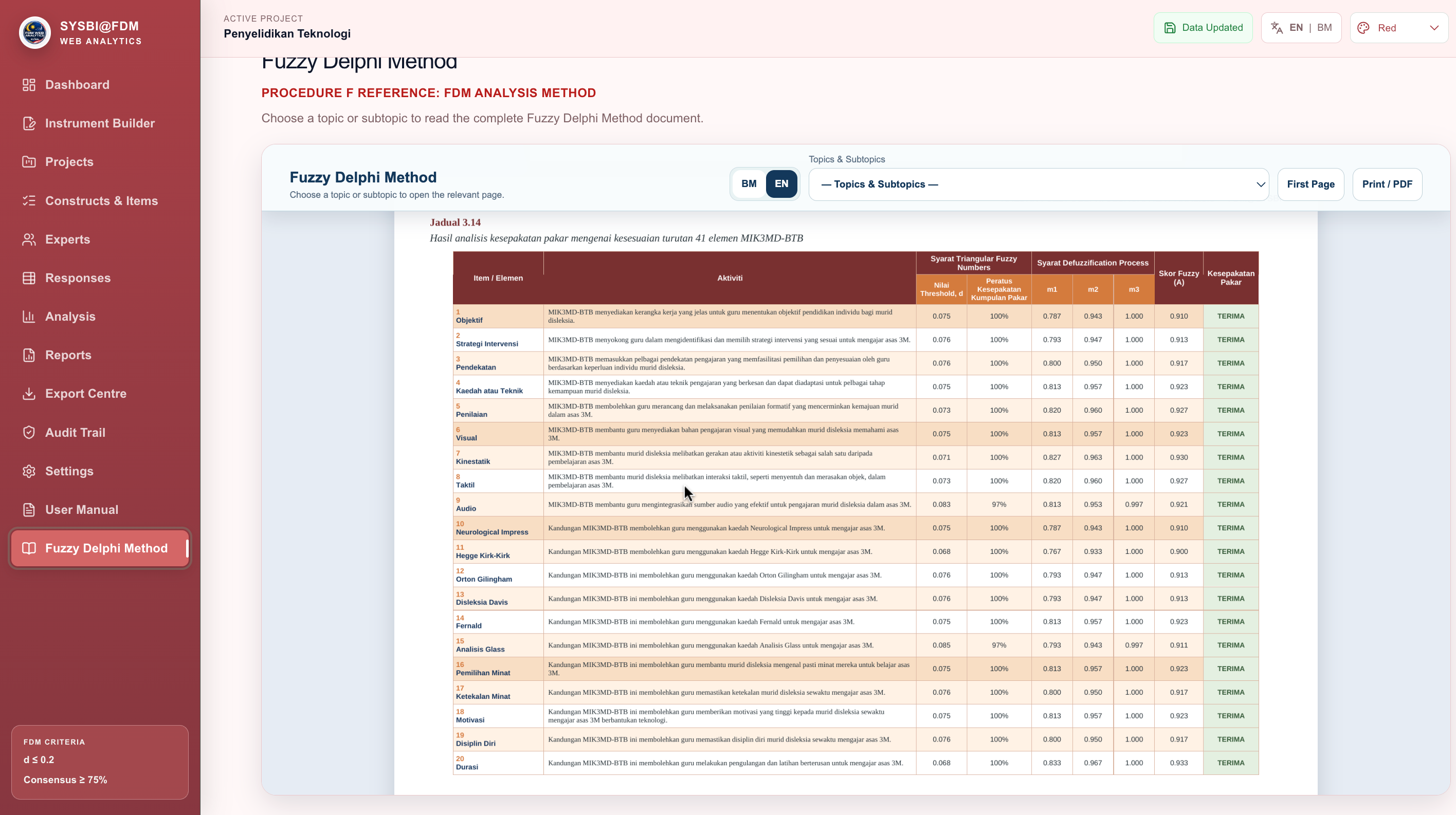 14
14The Fuzzy Delphi reference view presents item or element activity alongside threshold d, consensus percentage, m1, m2, m3, fuzzy score A and expert consensus, with BM or EN selection and print or PDF controls.
Set up a project and define your constructs and items.
Generate a form and invite your expert panel.
Import responses, review comments and read the FDM findings.
Create a new project, define constructs and items, then generate a professional digital instrument for your panel.
Import expert responses securely. Review construct comments, item comments and suggestions before analysis.
Follow average fuzzy values, threshold d, consensus percentage and the defuzzification process with transparent formulas.
Export Word, Excel and PDF outputs for supervisors, collaborators and publication workflows.
Fuzzy Delphi Method (FDM) combines structured expert judgement with fuzzy set theory. It is used to screen, refine and prioritise items when a study needs a transparent measure of consensus rather than a simple vote. FDM@SYSBI guides this process from a Likert response to a traceable decision, while preserving the item code, expert response and calculation used in the report.
Experts rate each construct item using a defined Likert scale. The instrument also keeps demographic information and optional comments linked to the correct expert and item.
Each numerical or linguistic response is represented as a Triangular Fuzzy Number (m1, m2, m3). This preserves lower, most plausible and upper values instead of forcing an uncertain opinion into one point value.
The distance between each expert TFN and the item average is calculated. The mean threshold distance and the percentage of experts within the threshold show whether the panel has converged.
The averaged fuzzy number is defuzzified into a single score for interpretation and ranking. An item is accepted only when the configured threshold, consensus and Alpha Cut criteria pass together.
| No. | Criteria / Conditions | Acceptance Threshold Values | Main References |
|---|---|---|---|
| 1 | Threshold Value (d) | ≤ 0.2 (Distance between the average & individual opinion) | Chen (2000) |
| 2 | Expert Consensus Percentage | ≥ 75% (For each item / construct) | Murry & Hammons (1995) |
| 3 | Defuzzification Value (Fuzzy Score A) | ≥ 0.5 (Alpha-cut value for position/ranking) | Bodjanova (2006) |
FDM is a structured expert-consensus approach for screening and validating items when judgements contain uncertainty. The workflow is: define constructs and items, collect expert Likert responses, map each response to a triangular fuzzy number, calculate the fuzzy mean, measure threshold distance, determine consensus, defuzzify the mean, apply the three criteria, then rank accepted items and preserve the result for reporting. This explanation follows the supplied standalone Fuzzy Delphi document. The displayed formula images are taken from FORMULAR1 and FORMULAR2; implementation logic is aligned with the supplied FDM@SYSBI development and flow-algorithm documents.
Start focused. Grow when your research needs it.